
Streamline Your Remote Media Production Techniques
- Daniel Alex
- Apr 20
- 4 min read

Creating stunning visual content is essential for brands and businesses today. But producing high-quality visuals remotely can feel complicated. I’ve learned that with the right approach, you can simplify the process and get excellent results without being in the same room. Let me share some practical tips and insights to help you streamline your remote media production techniques.
Mastering Remote Media Production Techniques
Remote media production is all about managing the creative process from a distance. It means coordinating teams, shooting, editing, and delivering content without physical presence. This approach saves time and money but requires smart planning.
Here are some key techniques I use to keep things running smoothly:
Clear Communication: Use video calls, chat apps, and project management tools to stay connected. Set expectations early and keep everyone updated.
Cloud Storage: Share files on platforms like Google Drive or Dropbox. This keeps assets accessible and organised.
Remote Collaboration Tools: Use apps like Frame.io or Wipster for video reviews and feedback. They let clients and teams comment directly on footage.
Standardised Workflows: Create templates and checklists for shoots and edits. This reduces errors and speeds up delivery.
Reliable Equipment: Ensure your team has good cameras, microphones, and stable internet connections. Quality gear makes a big difference.
By combining these techniques, you can produce professional content without the hassle of travel or in-person meetings.

Planning Your Remote Visual Media Production
Planning is the backbone of any successful project. When working remotely, it becomes even more critical. I always start by defining the project goals and deliverables clearly. This helps everyone understand what success looks like.
Next, I map out the production timeline. Break the project into phases like pre-production, shooting, editing, and review. Assign deadlines and responsible team members for each phase.
Here are some tips for effective planning:
Script and Storyboard: Share detailed scripts and storyboards with your team. This ensures everyone is on the same page about the visual story.
Location Scouting: If shooting on location, have someone local scout and send photos or videos. This helps plan lighting and camera setups.
Equipment Checklist: List all gear needed and confirm availability. Remote shoots often require renting or borrowing equipment.
Backup Plans: Prepare for technical issues or delays. Have alternative shooting dates or backup equipment ready.
Good planning reduces surprises and keeps your remote visual media production on track.
What is a Visual Media Producer?
A visual media producer is the person who oversees the entire content creation process. They coordinate the creative team, manage schedules, and ensure the final product meets the client’s vision.
In remote setups, the producer’s role expands to include:
Managing Communication: Keeping all parties connected and informed.
Technical Coordination: Ensuring the right tools and platforms are used.
Quality Control: Reviewing footage and edits to maintain standards.
Problem Solving: Quickly addressing any issues that arise during production.
Having a skilled producer is crucial for smooth remote media production. They act as the glue that holds the project together.
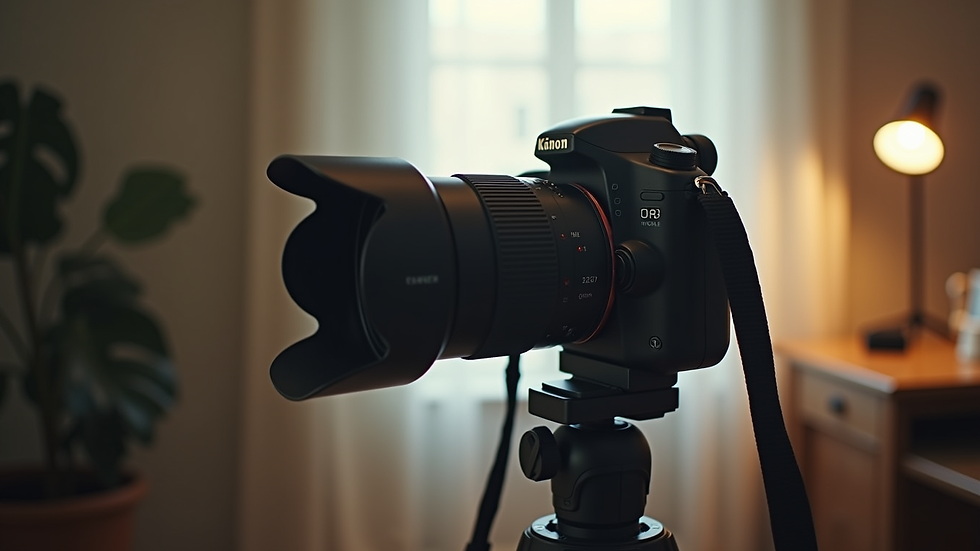
Tools That Make Remote Production Easier
Technology is your best friend when producing remotely. I rely on a mix of software and hardware to keep projects moving efficiently.
Communication and Collaboration
Slack or Microsoft Teams: For instant messaging and quick updates.
Zoom or Google Meet: For video calls and virtual meetings.
Trello or Asana: To track tasks and deadlines.
File Sharing and Review
Google Drive or Dropbox: For storing and sharing large files.
Frame.io or Wipster: For video review and feedback with timestamped comments.
Production and Editing
Adobe Premiere Pro or Final Cut Pro: For professional video editing.
DaVinci Resolve: For colour grading and finishing.
OBS Studio: For live streaming or recording remotely.
Hardware Essentials
High-quality cameras and microphones.
Stable internet connection.
Lighting kits suitable for home or location shoots.
Using the right tools helps you avoid delays and keeps everyone aligned.
Tips for Shooting Visual Content Remotely
Shooting remotely can be tricky, but with some preparation, it’s very doable. Here’s what I recommend:
Direct the Talent Virtually: Use video calls to guide actors or presenters during the shoot.
Use Local Crew: Hire local videographers or assistants to handle equipment and setup.
Send Detailed Instructions: Provide shot lists, lighting diagrams, and camera settings in advance.
Test Equipment: Do a test shoot to check audio, lighting, and framing.
Keep It Simple: Avoid complicated shots that require multiple people or heavy gear.
These tips help maintain quality while adapting to remote constraints.
Enhancing Post-Production Workflow
Editing and finishing remotely requires organisation and clear communication. I suggest:
Centralised File Management: Keep all footage and assets in one shared folder.
Regular Check-ins: Schedule review sessions to discuss edits and feedback.
Version Control: Label files clearly with version numbers and dates.
Use Cloud Editing: Some platforms allow editors to work directly in the cloud, speeding up collaboration.
This approach reduces confusion and speeds up the delivery of the final product.
Growing Your Brand with Remote Visual Media Production
Visual content is a powerful tool for growth. By mastering remote media production techniques, you can create engaging videos, photos, and graphics that resonate with your audience.
Focus on:
Consistency: Regularly produce and share content to build brand recognition.
Quality: Invest in good production values to stand out.
Storytelling: Craft stories that connect emotionally with viewers.
Engagement: Encourage feedback and interaction through your content.
With these strategies, your visual media can drive real growth and engagement.
Taking the Next Step in Your Visual Content Journey
Remote production is here to stay. Embracing these techniques will give you a competitive edge. Whether you’re creating marketing videos, social media content, or brand stories, a streamlined remote workflow saves time and resources.
If you want to explore more about remote visual media production, start by assessing your current process. Identify bottlenecks and experiment with new tools and methods. Keep learning and adapting.
Your next great visual project is just a few smart steps away. Let’s make it happen!


Comments